How to Read a W-2 Form Box by Box
Marcus Vance / Payroll Operations Editor
Reviewed by: Reviewed by the Paystub Generator Editorial Team
Legal Reviewer
Last Updated: August 29, 2026
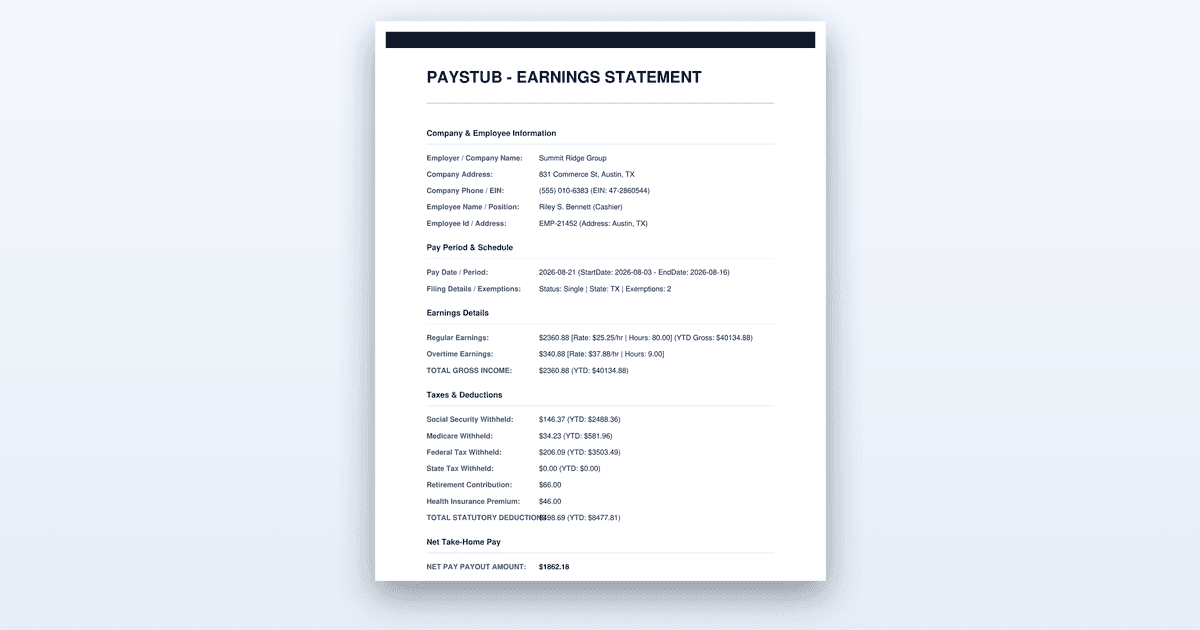
A box-by-box walkthrough of Form W-2: why box 1 differs from boxes 3 and 5, what the box 12 codes mean, and what to do when a figure is wrong.
Short on time? You can also create the document you need in just a couple of minutes.
Key Takeaways
- •Box 1 excludes pre-tax deductions, which is why it rarely matches gross year-to-date pay on the final stub.
- •Box 3 is capped at the annual Social Security wage base while box 5 is not, so the two differ for higher earners.
- •Box 12 letter codes carry the meaning; the same dollar figure means different things under different codes.
- •For tax year 2026, reporting for qualified tips and qualified overtime appears in the box 12 and box 14 areas, so check those against your stub.
How to Read a W-2 Form: A Step-by-Step Guide to All 20 Boxes
Reading a W-2 form takes about fifteen minutes once you know what each box means, and this guide walks you through all twenty boxes in seven steps. You will start by verifying your personal information, then work through each wage and withholding figure, and finish by reconciling the entire form against your final pay stub of the year. By the end, you will know exactly which numbers matter for your tax return and what to do if any of them look wrong.
Before You Start
Have your W-2 for the tax year in question in hand, along with the final pay stub you received from that same employer for that same year. The final stub is your ground truth because it shows the year-to-date totals that the W-2 should mirror. You also need the Social Security number and legal name you used when you were hired, since any mismatch with the form will cause your e-filed return to be rejected. If you worked more than one job during the year, gather every W-2 you received before you begin, because the figures on each one are independent and you will need to enter them all separately into your tax software. Starting without these documents means you will be guessing at whether a number is correct, and a wrong guess on Social Security wages or tax withheld can delay your refund for weeks.
Step-by-Step: Reading Your W-2 Box by Box
Step 1: Check the identity boxes first
Boxes a through f carry the legal identifiers for both you and your employer, and this is where you start because a single typo here causes more filing problems than any other error. Box a holds your Social Security number, box b holds the employer's federal identification number, and boxes c and e carry the names and addresses of the employer and you respectively. Box d is the control number, which is an internal reference your employer uses and which you can ignore for filing purposes, and box f is your legal name as it appears on your Social Security card.
The judgement call here is whether to flag a name that is slightly different from what you use day to day. If your W-2 shows your full legal name but you usually go by a nickname, that is fine; what matters is that the name and Social Security number match the Social Security Administration's records exactly. A mismatched Social Security number will cause the IRS to reject your return outright, and a misspelled name can trigger a letter asking you to verify your identity, which adds weeks to the process. A wrong Social Security number or a misspelled name causes filing problems that take far longer to fix than a phone call now, so if anything in boxes a through f does not match your records, contact your employer's payroll department before you file anything.
You know this step worked when every character in boxes a, b, c, e, and f matches your records or your employer's published information exactly. If you worked two jobs, verify that each W-2 carries the correct employer identification number for that employer, because mixing up two employers' forms is a common error that causes the IRS to reject both returns.
Step 2: Read box 1 and understand why it is lower than you expect
Box 1 shows your federal taxable wages for the year, and this is the figure most people find confusing because it rarely matches the gross year-to-date pay printed on their final stub. The reason is that box 1 excludes pre-tax deductions, which is exactly why it is normal for it to be less than your gross year-to-date pay. Contributions to a traditional 401(k) or 403(b), premiums for certain employer-sponsored health and dental plans, and contributions to a health savings account or flexible spending account all reduce box 1 because the IRS allows you to pay tax on that money later or not at all.
The choice you face here is deciding whether a lower box 1 is correct or whether it signals a payroll error. If your final stub shows year-to-date gross pay of $62,000 but box 1 reads $54,000, the $8,000 difference is almost certainly your pre-tax retirement and benefit deductions, and that is correct. The figure that should match is your final stub's year-to-date taxable wages line, not the gross pay line. If box 1 is higher than your gross pay, or if it is lower by an amount you cannot account for with known pre-tax deductions, then you have a real problem worth investigating.
This step worked when box 1 equals the year-to-date taxable wages figure on your final stub of the year. If your stub does not show a separate taxable wages line, add your pre-tax deductions to box 1 and confirm the total equals your gross year-to-date pay.
Step 3: Compare boxes 3 and 5 against box 1
Box 3 is your Social Security wages and box 5 is your Medicare wages, and both follow rules that differ from box 1 in ways that matter for higher earners. Retirement contributions that you made on a pre-tax basis are excluded from box 1 but are included in boxes 3 and 5, because Social Security and Medicare taxes are calculated on your full gross wages before those deductions. This means box 3 and box 5 will usually be higher than box 1, sometimes by several thousand dollars, and that is not an error.
The critical difference between boxes 3 and 5 is the annual cap: box 3 is capped at the annual Social Security wage base while box 5 is not, so the two differ for higher earners. For tax year 2025, the Social Security wage base is $176,100, meaning any wages above that amount are not subject to Social Security tax and therefore do not appear in box 3. Medicare wages in box 5 have no cap, so if you earned more than the wage base, box 5 will be larger than box 3. There is also an additional Medicare tax of 0.9 percent on wages above $200,000 for single filers, which is withheld by your employer and reported separately, so box 5 can exceed your actual gross pay if you had multiple jobs.
You know this step worked when box 3 equals your Social Security wages from your final stub, box 5 equals your Medicare wages from that same stub, and any difference between them is explained by the wage cap or by pre-tax deductions that reduced box 1 only. If box 3 exceeds the annual wage base, that is a red flag that your employer made an error.
Step 4: Match the withholding boxes to your final stub
Box 2 is federal income tax withheld, box 4 is Social Security tax withheld, and box 6 is Medicare tax withheld, and each of these should tie exactly to the year-to-date withholding shown on your final stub of the year. Box 2 is the total federal income tax your employer took out of your paychecks all year, and this is the figure that gets credited against your tax liability when you file. Box 4 should equal 6.2 percent of box 3, and box 6 should equal 1.45 percent of box 5, unless you hit the Social Security wage cap mid-year, in which case box 4 stops growing while box 6 continues.
The judgement call here is whether to accept small rounding differences. The IRS allows employers to round to the nearest dollar on the W-2, so a difference of one or two dollars between box 2 and your final stub is normal and will not affect your return. A difference of more than a few dollars, or a box 4 that does not equal 6.2 percent of box 3, means your employer made a withholding error that you need to address. Do not adjust these numbers yourself on your tax return, because the IRS receives a copy of the same W-2 and will flag any discrepancy.
This step worked when all three withholding boxes match your final stub's year-to-date figures within a dollar or two. If they do not, gather your last few pay stubs of the year to trace where the difference began before contacting payroll.
Step 5: Decode box 12 and check box 14
Box 12 is a two-column field that uses letter codes to report specific items, and box 12 letter codes carry the meaning; the same dollar figure means different things under different codes. Code D is your pre-tax 401(k) contributions, code E is your 403(b) contributions, code W is your employer's contributions to a health savings account, and code DD is the total cost of employer-sponsored health coverage, which is informational and not taxable. Each code appears on its own line with the letter followed by the dollar amount, and you may see several codes stacked in the box.
The choice you face is knowing which codes matter for your tax return and which are informational only. Codes D, E, F, G, and S reduce your taxable income, so your tax software needs them to calculate your retirement contribution deductions correctly. Code DD is informational and never goes on your return, but it matters if you are claiming the health coverage premium tax credit. Code BB is the designated Roth contribution to a retirement plan, which is not deductible but must be reported. For tax year 2026, reporting for qualified tips and qualified overtime appears in the box 12 and box 14 areas, so check those against your stub if you received either type of income.
Box 14 is a free-form field where employers report state-specific items, union dues, or other informational amounts, and the codes vary by employer with no standard meaning. You know this step worked when every box 12 code matches a corresponding line on your final stub, and you have identified which box 14 entries, if any, are informational versus required for your state return. If a box 14 entry has a label you do not recognize, ask payroll what it means before you assume it is irrelevant.
Step 6: Work through boxes 15 to 20 for state and local tax
Boxes 15 through 20 report your state and local income tax information, and they mirror the federal boxes but on a smaller scale. Box 15 shows the state's two-letter abbreviation and your employer's state identification number, box 16 is your state wages, box 17 is state income tax withheld, box 18 is local wages, box 19 is local income tax withheld, and box 20 is the name of the locality. If you worked in only one state, you will see one line for that state, and if you worked in multiple states, you will see multiple lines, each with its own state wages and withholding.
The judgement call here is handling multiple states correctly, because multiple states in one year means multiple lines, and each has to be reported separately on your return. Your tax software will ask you to enter each state's box 16 and box 17 separately, and it will then calculate whether you owe tax to each state or whether one state gives you a credit for tax paid to another. If you live in one state but worked in another, you may owe tax to both, and getting this wrong can trigger a letter from the state you forgot to report to. Box 18 and 19 only appear if your employer withheld local taxes, which is common in cities like New York, Philadelphia, and Kansas City, and you must report these even if the amounts are small.
This step worked when every state and local line matches your final stub, and when you can account for every state in which you worked during the year. If you worked in a state for even one day, your employer should have issued a W-2 line for that state, and its absence is an error.
Step 7: Request a corrected W-2 if something is wrong
When you find a discrepancy you cannot explain, the fix is to contact your employer's payroll department with the specific box number, the figure on the W-2, and the figure you believe is correct based on your final stub. The employer will investigate and, if they confirm the error, issue a corrected form known as a W-2c, which is the only legal way to fix the numbers. A wrong figure is fixed by the employer issuing a corrected W-2, not by adjusting the number yourself on your tax return, because the IRS compares your return against the copy they received from your employer.
The choice you face is whether to file your return on time while waiting for the correction or to wait for the W-2c. If the W-2c is coming soon and the error affects your refund, waiting is usually wise because filing with wrong numbers means amending later. If the error is small and does not change your tax liability, you can file with the original figures and the IRS will accept them, but you should still request the correction so your records are accurate. If your employer is unresponsive or the error is substantial, you can contact the IRS directly, and they will write to your employer on your behalf, but this process takes months.
This step worked when you either received a W-2c that matches your final stub, or when your employer confirmed in writing that the original figures were correct and explained why. Keep that confirmation with your tax records in case the IRS asks questions later.
Worked Example
Let us walk through a realistic example so you can see how these steps apply to actual numbers. Sarah worked as a marketing manager in Ohio, and on her final pay stub for the tax year, her year-to-date gross pay was $78,450, her year-to-date federal taxable wages were $68,900, her year-to-date Social Security wages were $74,200, and her year-to-date Medicare wages were $74,200. Her stub showed $6,340 in federal income tax withheld, $4,600 in Social Security tax withheld, and $1,076 in Medicare tax withheld.
When Sarah reads her W-2, box 1 shows $68,900, which matches her stub's federal taxable wages line exactly, and she confirms the $9,550 difference from gross is her $8,400 in traditional 401(k) contributions plus $1,150 in pre-tax health insurance premiums. Box 3 shows $74,200 and box 5 shows $74,200, both higher than box 1 because her retirement contributions are still subject to Social Security and Medicare tax, and both well below the Social Security wage cap, so they match each other. Box 2 shows $6,340, box 4 shows $4,600, and box 6 shows $1,076, all matching her final stub to the dollar.
In box 12, Sarah sees code D with $8,400 for her 401(k), code DD with $6,200 for her employer's health coverage cost, and code W with $1,200 for her employer's health savings account contributions. Her box 14 shows a line labeled "OH SDI" with $267, which is her Ohio state disability insurance contribution, and she confirms that amount on her final stub. Boxes 15 through 17 show Ohio, the state identification number, state wages of $70,100, and state tax withheld of $3,180, all matching her stub. Sarah's W-2 reconciles perfectly with her final stub in every box, so she enters the figures into her tax software with confidence and files without delay. These figures are illustrative only and will not match your own W-2, but the process of checking each box against the final stub is exactly the same.
Where People Get This Wrong
The most common mistake is comparing box 1 to the gross pay on the final stub and concluding the W-2 is wrong. People see $68,900 in box 1 against $78,450 in gross pay and panic, not realizing that pre-tax retirement and benefit deductions are supposed to reduce box 1. The fix is to compare box 1 to the taxable wages line on the stub, not the gross line, and if your stub lacks that line, add your known pre-tax deductions to box 1 and check the total against gross.
Another frequent error is entering box 12 code DD into the tax software as taxable income. Code DD, the employer-paid health coverage cost, is informational only and never goes on your return, but people see a large dollar figure and assume it must be reported. The fix is to know which codes are taxable and which are not, and to let your tax software prompt you for the codes it needs rather than entering every line manually.
A third mistake is ignoring state lines when you worked in more than one state. People assume that because they lived in one state all year, they only need to report that state, even if they worked across the border for three months. The fix is to check boxes 15 through 20 for every state listed, and to report each one separately, because the state you worked in will expect a filing even if you owe nothing.
The fourth failure is trying to correct a W-2 error by adjusting the number on the return. The IRS receives the same W-2 you did, and if your return says box 2 was $7,000 but the W-2 says $6,340, the IRS will match the W-2 and adjust your refund accordingly. The fix is to request a W-2c from your employer before filing, because only the employer can legally change the figures.
When to Get Professional Help
If your employer refuses to issue a corrected W-2 after you have documented a clear error, or if the discrepancy involves a large amount of tax withheld that could change your refund by thousands of dollars, it is time to consult a tax professional. You should also seek help if you worked in multiple states and owe taxes to more than one, because state tax credits and allocation rules are complicated and a mistake can trigger audits in two states at once. A licensed tax preparer or enrolled agent can handle the IRS correspondence on your behalf and knows how to file a substitute W-2 if your employer is unresponsive, which is a process you should not attempt alone.
The Bottom Line
Reading a W-2 is a box-by-box reconciliation against your final pay stub, and every figure on the form should tie to that stub within a dollar or two. The boxes that matter most for your filing are 1, 2, and 17, while boxes 3 through 6 confirm your payroll taxes were calculated correctly. If anything does not match, request a corrected W-2 from your employer before you file, and keep the original form with your tax records for at least three years.
Need a Pay Stub Right Now?
Generate a clean, professional pay stub in minutes with our calculator.
Create a Pay StubFrequently Asked Questions
Why is box 1 lower than my total pay?
Pre-tax deductions such as traditional retirement contributions and certain benefit premiums come out before box 1 is calculated, so box 1 is usually lower than gross pay.
What is the difference between box 3 and box 5?
Box 3 is wages subject to Social Security tax and stops at the annual wage cap. Box 5 is wages subject to Medicare tax and has no cap, so it can be the larger of the two.
Authoritative References
The rules described here come from the agencies that set them. Check the current text before you rely on a deadline or a figure:
Related Guides
- Amazon Pay Stub Portal: Step-by-Step Access Guide (2026)
- How to Get a Pay Stub from DoorDash (Proof of Income Guide)
- H-E-B Pay Stub Portal Guide: PartnerNet Access (2026)
- How to Calculate Overtime Pay: A Step-by-Step Guide for 2026
- How to Get Pay Stubs From a Previous Employer
Sources: Paystub-Generator.com editorial team. This guide is informational and not legal or tax advice.
This guide is part of our Payroll & Tax service — pay stubs, W-2s and payroll compliance tools.
Explore Payroll & TaxPayroll Knowledge Hub
Explore related essential payroll terminology, tax definitions, and documentation guides.
Part of our interconnected SEO topic cluster network.
Citations & Legal Sources
- Paystub-Generator.com editorial team