How to Get Pay Stubs From a Previous Employer
Marcus Vance / Payroll Operations Editor
Reviewed by: Reviewed by the Paystub Generator Editorial Team
Legal Reviewer
Last Updated: August 29, 2026
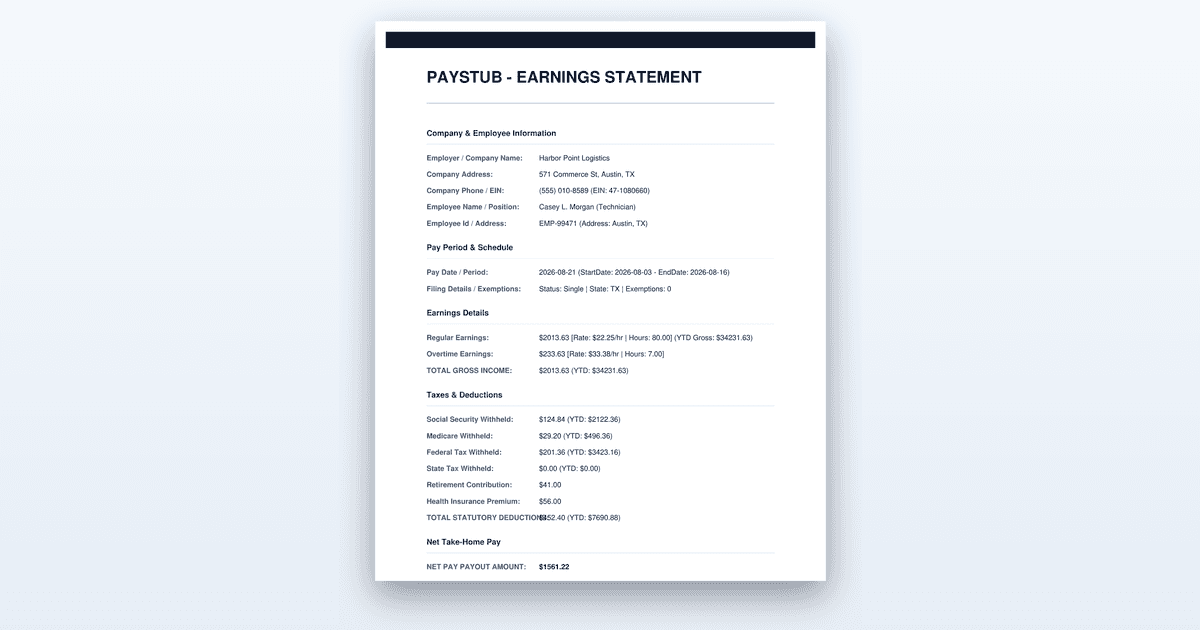
Six steps to recover old pay stubs after you leave a job: portal access, the payroll provider, a written request to HR, and what to do if you are refused.
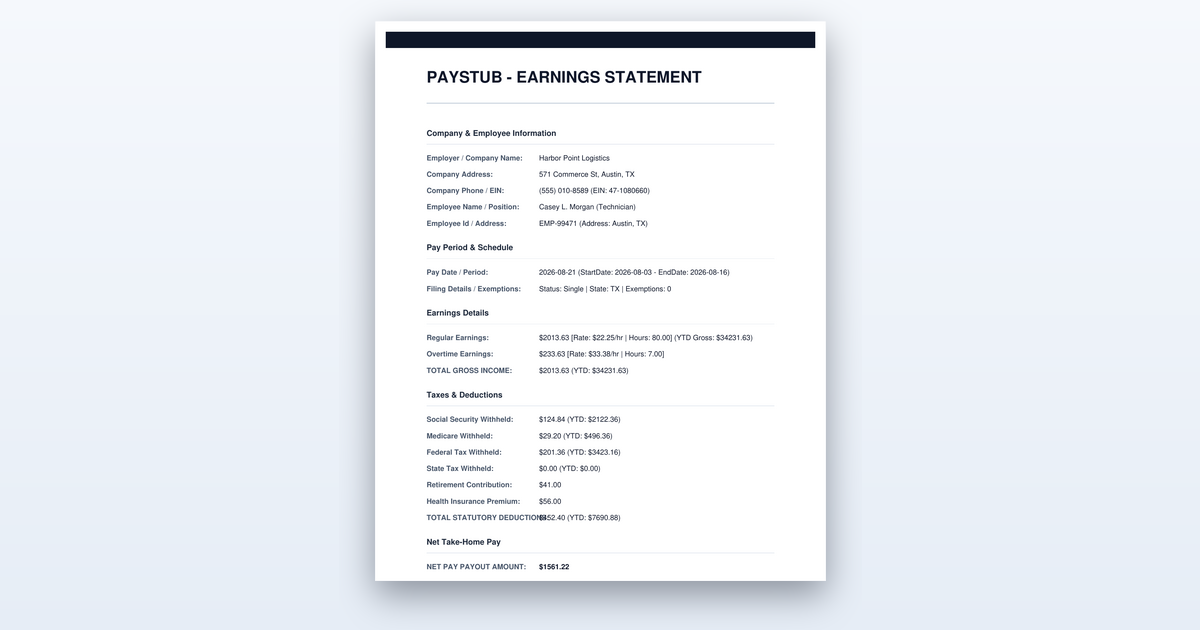
Short on time? You can also create the document you need in just a couple of minutes.
Key Takeaways
- •Former-employee portal access commonly expires within a set window after your last check, so retrieve stubs before you leave if you can.
- •The payroll provider's name is almost always printed on the stub itself and is the fastest route back in.
- •A number of states give employees a statutory right to inspect or receive copies of their own payroll records within a set number of days of a written request.
- •Bank deposits plus the W-2 for that year are a legitimate way to evidence past income when the original stubs no longer exist.
You can get pay stubs from a previous employer in six steps, and the whole process typically takes anywhere from fifteen minutes to three weeks depending on how you go about it. The fastest route is almost always your old online portal, and the slowest is a formal written request to a payroll department that no longer has any incentive to move quickly. Start with the self-service options and only escalate to legal and regulatory channels if those fail.
Before You Start
Before you send a single email or attempt a single login, gather the specifics of what you actually need. You should know the exact dates you worked there, the specific pay periods you are missing, and roughly what you expect the gross and net amounts to be for each. This matters because a vague request like “send me my old pay stubs” will get a slow, vague response, while a precise one naming the pay period ending dates gets processed faster and is harder to ignore.
You will also want your old employee ID if you remember it, the email address you had on file with the employer, and a current mailing address and phone number. If you have any old stub at all, even a photograph of one, dig it out. The payroll provider’s name is almost always printed in the footer or along the edge of the stub, and that single piece of information is often the key that unlocks everything else. If you start the process without knowing the payroll provider, you will be limited to whatever the employer’s HR department chooses to do for you, which is the slowest possible path.
Finally, understand that a few states give former employees a statutory right to access their own payroll records, but the rules vary widely on how many days the employer has to respond and whether they can charge you a copying fee. If you do not know your state’s rules, you can look them up on your state labor department’s website before you begin. That knowledge tells you exactly how long you should wait before you escalate, and it gives you a concrete deadline to cite when you follow up.
Step-by-Step: Recovering Your Pay Stubs
Step 1: Try Your Old Portal Login First
Start by attempting to log in to whatever payroll or HR portal you used while you were employed. Many systems keep former employees active for a limited window after separation, often thirty to ninety days, precisely so you can grab your final pay stub and download your W-2. If you are within that window, you can have everything you need in under five minutes without involving another human being.
Do not assume the login is dead just because you left. Try every email address and password combination you can think of, and use the password reset function if you have to. The reset email may still go to your personal address if you updated it before you left, and some systems will even let you reset with a personal email even after termination. If the login works, immediately download every stub you can see, not just the ones you need right now. Save them as PDFs to a folder on your computer and to cloud storage, because the access can vanish without warning.
You will know this step worked if you can see your pay history and download the stubs. If you get an error saying the account is inactive, locked, or does not exist, move on to Step 2. Do not spend more than ten or fifteen minutes on this, because the portal route is a yes-or-no proposition and further effort is wasted.
Step 2: Identify the Payroll Provider and Use Its Former-Employee Route
If your old employer’s portal is locked, the next move is to find out who actually processed the payroll. The provider’s name is almost always printed on the stub itself, usually in small text at the bottom or along the side. Look for names like ADP, Paychex, Gusto, QuickBooks, or a smaller regional processor. If you have no stub at all, you can often find the provider mentioned on your old offer letter, your pay-related emails, or even on the employer’s website footer.
Large payroll providers run their own former-employee access that is separate from the employer’s internal portal. ADP, for example, has a former-employee self-service portal where you can register with your Social Security number and your old company’s code, which is often printed on your W-2. Paychex and Gusto have similar routes. This path frequently still works long after the employer’s internal system has locked you out, because the provider keeps your records for years and is legally obligated to preserve wage data.
You will know this step worked when you successfully register and can see your pay history. If the provider’s system does not recognize you, or if you cannot identify the provider at all, move on to the written request. Keep in mind that even if you find the stubs this way, you should still download everything and store it locally, because provider access for former employees is not guaranteed forever either.
Step 3: Send a Written Request to HR or Payroll
When the self-service routes fail, you need to put a formal request in writing to the employer’s HR or payroll contact. An email is acceptable, but a letter sent by certified mail is better because it gives you proof of delivery. In the request, state your full name, your old employee ID if you have it, the exact dates you worked there, and the specific pay periods you need. Name the delivery format you want, whether that is PDFs by email, paper copies by mail, or both, and give them the current address or email to send them to.
This written request matters for two reasons. First, it forces the employer to treat the matter as a formal records request rather than a casual favor. Second, it creates a dated document you can point to later if the response never comes, which becomes critical if you need to escalate to your state labor department. Keep a copy of everything you send, and note the date you sent it.
You will know this step worked when you receive either the stubs or a written acknowledgment that your request is being processed. If you hear nothing within a reasonable window, typically five to ten business days, you are ready to follow up. If you do not have a specific contact person, address it to the HR department generally and include a phone number, because some payroll departments respond faster to a call than to an email.
Step 4: Follow Up on a Schedule and Keep the Trail
A single request is easy to ignore. A follow-up is harder to ignore, and a documented trail of follow-ups is almost impossible to dismiss when a regulator asks questions. Give the employer a reasonable window, usually five to ten business days, and then send a polite but firm follow-up referencing your original request by date. If you have a phone number, call and ask to speak to someone in payroll directly, and write down the name of the person you spoke to and the date of the call.
Every interaction from here on is evidence. Save every email, screenshot every response, and keep a simple log of calls with dates and names. This is not paranoia; it is the difference between a clean resolution and a months-long fight where the employer claims they never received your request. If you eventually have to escalate to the state, this trail is what proves you made a good-faith effort.
You will know this step worked when the stubs arrive or when the employer gives you a firm, dated answer about why they cannot provide them. If the employer flat-out refuses, or if you have sent two follow-ups with no response at all, you have done your due diligence and it is time to escalate.
Step 5: Escalate to Your State Labor Department If You Are Refused
A number of states give employees a statutory right to inspect or receive copies of their own payroll records within a set number of days of a written request. The deadlines vary, but they are commonly in the range of ten to thirty days. If the employer has ignored you, refused you, or given you the runaround past that deadline, your state labor department is the enforcement route. This is the step where that written trail you kept becomes your strongest asset.
File a wage claim or a records request complaint with your state labor department, which you can usually do online or by mail. Attach your original written request, your follow-ups, and any responses you received. The department will typically contact the employer and demand a response, and in many cases the mere involvement of a regulator is enough to get your stubs released within a couple of weeks. Some states will also impose penalties on the employer for failing to provide records, which gives them a real incentive to comply.
You will know this step worked when the labor department confirms they have opened a case and contacted the employer, or when the stubs suddenly arrive shortly after the department gets involved. If the employer has closed entirely or been acquired, skip this step and move to the reconstruction route, because there may be no one left to compel.
Step 6: Reconstruct the Record If the Stubs Are Genuinely Gone
Sometimes the stubs are simply unrecoverable. The company went bankrupt, the payroll provider purged old records, or the employer’s systems were destroyed in a move. When that happens, you can reconstruct the record using two documents you almost certainly still have access to: your bank deposit history and your W-2 for that year. The bank statements show exactly what was deposited and when, and the W-2 shows your total gross wages, federal and state tax withheld, and Social Security and Medicare contributions for the year.
To reconstruct a single stub, match each bank deposit to the corresponding pay period, then use the W-2 totals to calculate what the gross amount must have been based on the withholding shown. This gives you a document that evidences what you were actually paid, even if it is not the original stub. Present this reconstruction honestly, explain that the original stubs no longer exist, and let the lender, landlord, or benefits office decide whether it satisfies their requirement. Many will accept bank statements plus a W-2 as proof of income, especially if you also provide a letter from the employer confirming your dates of employment.
You will know this step worked when the party requesting the income documentation accepts your reconstructed evidence. If they do not accept it, you may need to ask what specific documentation they will accept in place of a stub, because different institutions have wildly different standards.
What to Do When the Employer Has Closed or Been Acquired
When the company you worked for no longer exists, your first move is to find out who holds the records. If the company was acquired, the acquiring company’s HR department usually has the old payroll records, so contact them directly and explain that you are a former employee of the acquired entity. If the company went bankrupt, the payroll provider is your best bet, because they often retain records independently of the employer. If the business simply closed with no successor, the state labor department or the state’s department of revenue may have wage records on file, particularly if the company was required to report wages for unemployment insurance purposes. Your W-2 for that year will also show the employer’s EIN, which can help you track down where the records went.
Worked Example
Let us walk through a realistic scenario so you can see how this plays out. Maria worked for Brightline Logistics in Austin, Texas, from March 2021 through September 2023. In February 2025, she applies for a mortgage, and the underwriter asks for her last two years of pay stubs. She has her 2023 W-2 but only the last three stubs from her final month. She is missing roughly twenty-three stubs from 2023 and early 2024.
Maria starts with the old portal, which she knows is run through the company’s internal HR system. She tries her old work email and personal password, but the system tells her the account is inactive. She checks an old stub she kept and sees “ADP” printed in the footer. She goes to ADP’s former-employee portal, registers with her Social Security number and her old company code, which she finds on her 2023 W-2, and is surprised to find her full pay history is still there, including every stub from 2023. She downloads all twenty-three stubs as PDFs and saves them to her computer and to Google Drive. The whole process takes about twenty minutes.
If Maria had not found the stubs through ADP, her next step would have been a written request to Brightline’s HR department, which still exists because the company is operating. She would have sent a certified letter naming the pay periods from January 2023 through September 2023, requested PDFs by email, and waited ten business days before following up. If HR had ignored her, she would have filed a complaint with the Texas Workforce Commission, which is the state agency that handles wage claims and payroll record disputes. In Texas, employers are required to provide former employees access to their payroll records, and the commission can compel compliance.
Maria’s mortgage underwriter accepts the PDFs from ADP because they show the employer’s name, her name, the pay period dates, and the gross and net amounts. Her loan proceeds on schedule. The key lesson from Maria’s case is that the payroll provider route worked when the employer’s own portal was dead, and that she had the one piece of information, the provider’s name, that made the whole thing quick. The dollar figures here are an example; your own stubs will show your actual wages and withholding.
Where People Get This Wrong
The most common mistake is waiting until the portal access has already expired. Former-employee portal access commonly expires within a set window after your last check, often thirty to ninety days, and people assume they can log in whenever they want. Then they need a stub a year later and find the account is gone. The fix is to download every stub before you leave or within a week of your final paycheck, while access is still guaranteed.
The second mistake is contacting the employer’s general HR email instead of the payroll provider. HR generalists are often slow, disorganized, and have no direct access to the payroll system. The payroll provider, by contrast, has a dedicated former-employee route that is automated and fast. If you have an old stub, the provider’s name is right there, and going to them directly skips the middleman entirely.
The third mistake is failing to keep a written trail. People call HR, get a verbal promise, and then have nothing to show for it when the stubs never arrive. If you never put your request in writing, you have no evidence for a state labor department complaint, and the employer can plausibly claim they never heard from you. The fix is to send a dated written request and follow up in writing every time.
The fourth mistake is presenting reconstructed bank statements and W-2 data as if they were original stubs. Lenders and benefits offices can tell the difference, and if they catch you misrepresenting the document, they may reject your entire application. The fix is to be upfront, explain that the originals no longer exist, and let the institution decide whether the reconstruction is acceptable.
When to Get Professional Help
If you have exhausted the portal, the provider, the written request, and the state labor department, and you still cannot get the records you need, it is time to talk to an employment lawyer, especially if the stakes are high, such as a denied mortgage, a lost benefits claim, or a tax dispute. A lawyer can send a demand letter that carries more weight than yours, and they know the specific statutes in your state that govern payroll record access. Similarly, if you are dealing with a tax filing issue and the missing stubs affect your return, a CPA is the right call, because they can help you reconstruct your income accurately and file the appropriate forms. This article is general information, not legal or tax advice, and your situation may warrant professional input.
The Bottom Line
Getting pay stubs from a previous employer is usually a matter of trying the fastest self-service routes first and escalating only when they fail. Download everything while you still have access, identify the payroll provider from an old stub, and keep a written trail of every request you make. If the stubs are genuinely gone, bank deposits plus your W-2 will often satisfy the person asking for proof of income.
Need a Pay Stub Right Now?
Generate a clean, professional pay stub in minutes with our calculator.
Create a Pay StubFrequently Asked Questions
Is an employer legally required to give me my old pay stubs?
It depends on the state. Some states give employees a right to inspect or copy their own payroll records on written request, with a deadline attached; others have no such rule. Check your state labor department.
How far back do payroll providers keep pay stubs?
Retention varies by provider and employer, though federal recordkeeping rules push most employers to hold payroll records for at least three years. Ask for a specific range rather than assuming everything is available.
What if the company went out of business?
Try the payroll provider directly, since its records outlive the employer relationship. If that fails, your W-2 and bank deposit history document the income.
Authoritative References
The rules described here come from the agencies that set them. Check the current text before you rely on a deadline or a figure:
Related Guides
- Amazon Pay Stub Portal: Step-by-Step Access Guide (2026)
- How to Get a Pay Stub from DoorDash (Proof of Income Guide)
- H-E-B Pay Stub Portal Guide: PartnerNet Access (2026)
- How to Calculate Overtime Pay: A Step-by-Step Guide for 2026
- How to Fix a Payroll Error: A Step-by-Step Correction Guide
Sources: Paystub-Generator.com editorial team. This guide is informational and not legal or tax advice.
This guide is part of our Payroll & Tax service — pay stubs, W-2s and payroll compliance tools.
Explore Payroll & TaxPayroll Knowledge Hub
Explore related essential payroll terminology, tax definitions, and documentation guides.
Part of our interconnected SEO topic cluster network.
Citations & Legal Sources
- Paystub-Generator.com editorial team