How to Calculate Year-to-Date Income From Your Pay Stubs
Marcus Vance / Payroll Operations Editor
Reviewed by: Reviewed by the Paystub Generator Editorial Team
Legal Reviewer
Last Updated: August 29, 2026
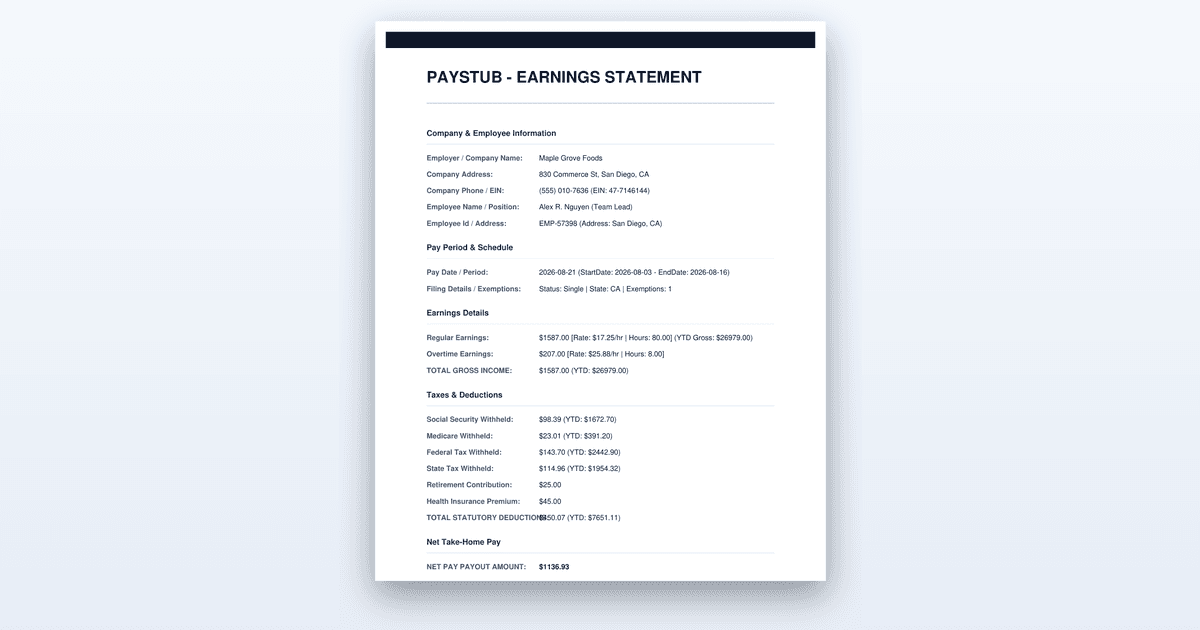
Work out your true year-to-date income from pay stubs: where the YTD column is, gross versus net, multiple employers, and reconciling against your W-2.
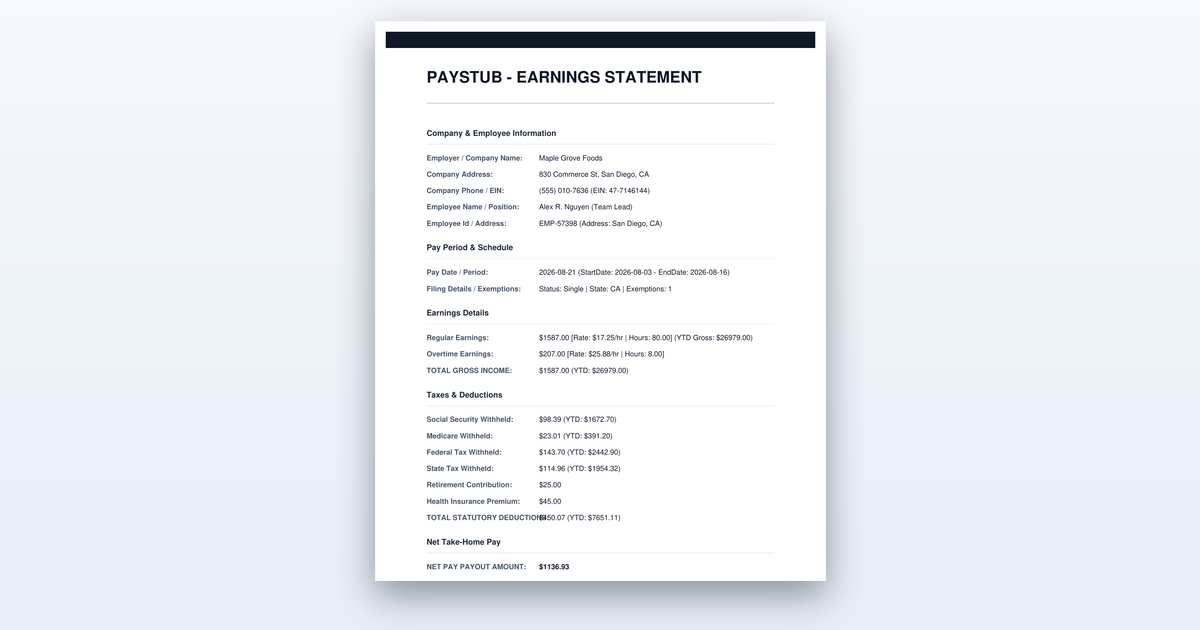
Short on time? You can also create the document you need in just a couple of minutes.
Key Takeaways
- •The year-to-date column on the most recent stub is already the running total; you do not add stubs together when it is present.
- •Gross year-to-date and W-2 box 1 wages differ because pre-tax deductions are excluded from box 1.
- •Income belongs to the year of the pay date, not the year the work was performed.
- •Annualizing a partial year overstates income if any of it was seasonal, bonus, or overtime driven.
To calculate year-to-date income from your pay stubs, you locate the year-to-date column on your most recent stub, confirm whether the form you are filling out asks for gross or net income, and then either copy that running total or add up every stub from January 1 onward if no YTD line exists. This takes about ten minutes with your latest stubs in hand, and the whole process breaks down into six steps that will produce a figure your lender, landlord, or benefits office can verify against your documents.
Before You Start
You need your most recent pay stub from every job you have held this calendar year, not just your current one. If you left a job in March and started another in June, both employers' stubs are required, because each one has its own year-to-date total that must be combined. You also need any 1099 forms or self-employment income records for the same period, since that money counts toward your total year-to-date income even though it never appears on a W-2. If you have last year's W-2 handy, keep it as a reference point for how the categories line up, but do not use it as a substitute for this year's numbers.
Before you begin, clarify what the form is actually asking for. A loan application that says "year-to-date income" almost always means gross income, while a benefits form might want net income to calculate what you actually take home. If you start adding numbers without knowing which figure is required, you will produce a total that looks plausible but fails verification. Starting without your stubs is worse: you will be guessing at numbers, and any figure you state that does not match the pay stubs attached to your application will trigger a request for more documentation, which delays the entire process by days or weeks.
Step-by-Step: Calculating Your Year-to-Date Income
Step 1: Find the YTD column on your latest stub
Open your most recent pay stub and look for a column labeled "YTD" or "Year to Date" running alongside the current-period figures. This column is the running total of every paycheck you have received since January 1, and it is already calculated for you. The gross pay figure in that column is the number you need for most applications, and you do not need to add any stubs together when this column is present.
The judgment call here is understanding what the YTD column actually contains. On most stubs, you will see YTD gross, YTD federal tax, YTD state tax, YTD Social Security, YTD Medicare, and YTD net pay. The YTD gross figure is what lenders want, because it represents your total earnings before any deductions. If you only look at the net pay line, you will understate your income by the amount you paid in taxes and benefits, which can be twenty to thirty percent of your gross depending on your situation. A W-2 from the same employer will show a Box 1 wage figure that is lower than your YTD gross, and knowing that gap exists now will save you from a confusing conversation later.
You know this step worked when you have identified the YTD gross figure on your most recent stub and written it down. If your stub does not have a YTD column at all, which happens with some small employers and gig-economy platforms, move to Step 3 and add the stubs manually. Do not assume the current-period figure is your year-to-date income; it is only one paycheck, and quoting it will understate your income by the number of pay periods you have worked this year. If you are paid biweekly and it is October, that current-period figure is roughly one-twentieth of your actual YTD total, so the error would be massive.
Step 2: Confirm whether you need gross or net
Read the application form carefully and determine whether it asks for gross or net income. Gross year-to-date income is everything you earned before any deductions, while net is what actually reached your bank account after taxes, retirement contributions, and health insurance premiums were removed. Lenders and landlords almost always want gross, because it is the standard measure of your earning capacity and it is what your employer reports to the IRS on your W-2. Benefits offices, on the other hand, sometimes want net because they are calculating what you actually have available to spend each month.
The most common reason a stated figure fails verification is that the applicant quoted net income when the form asked for gross, or vice versa. If you quote your net figure on a loan application, the underwriter will compare it against your pay stubs, see a gross figure that is higher, and assume you are hiding income or made an arithmetic error. The application will be sent back for clarification, adding days to the process. If you quote gross on a benefits form that wanted net, you will appear to have more disposable income than you actually do, which could affect your eligibility. The difference between the two is rarely small: federal withholding alone runs 12 to 22 percent for most earners, and adding state tax, Social Security at 6.2 percent, Medicare at 1.45 percent, and health insurance premiums can push the gap past thirty percent.
You know this step worked when you can state, in one sentence, which figure the form requires and which number on your stub corresponds to it. If the form is ambiguous, call the lender, landlord, or benefits office and ask directly. A five-minute phone call now is far cheaper than a rejected application later. Write the answer down next to the figure you plan to quote so you do not mix them up when you fill out the form.
Step 3: Add the stubs manually if there is no YTD line
If your stub lacks a year-to-date column, you will need to total the gross pay from every stub issued since January 1. Gather all your stubs for the current year, arrange them in date order, and add the gross pay figure from each one. Keep your working calculation on a piece of paper or in a spreadsheet, because you will need to show your arithmetic if the figure is questioned. Most payroll systems print a YTD column by default, so this situation is more common with small employers who hand-write checks or gig platforms that generate simple payment receipts.
The judgment call here involves stubs that span the year boundary. Some employers pay on a schedule where one pay period covers late December and early January. The rule is that income belongs to the year of the pay date, not the year the work was performed. If you received a paycheck on January 5 for work done in late December, that income counts toward the current year's total. If you received a paycheck on December 31 for work done in early December, it counts toward the previous year. Check the pay date on the stub, not the period dates, when deciding which year it belongs to. This matters most in January, when you might have two or three stubs that straddle the boundary and a single misclassification will throw your total off by a full paycheck.
You know this step worked when your total matches the sum of all the individual gross pay figures and you can account for every stub from January 1 through today. If you are missing a stub, contact your employer's payroll department and request a duplicate before you submit your application. A missing stub means your total is incomplete, and an incomplete total will be rejected when the reviewer compares it against the stubs you attached. Payroll departments can usually produce a duplicate within a business day, so factor that wait into your timeline if you discover a gap.
Step 4: Include every income source, not just one job
Year-to-date income includes all of your earnings, not just the job you consider your primary one. If you work a second job on weekends, had seasonal work earlier in the year, or earn money from freelance or contract work, all of that counts toward your total. Calculate each source separately, then add them together, and label each source clearly so the figure can be traced back to its supporting document. A lender will notice if your stated income is higher than the stubs you attached, and they will ask for the missing documentation rather than trust the number.
The judgment call here is deciding what counts as income. Regular wages, overtime, bonuses, commissions, tips, and self-employment earnings all count. Reimbursements for expenses do not count, because they are not income; they are repayments of money you spent on your employer's behalf. If you are unsure whether a payment counts, ask yourself whether it would appear on a W-2 or 1099. If it would, include it. Tips are a special case: if you report them to your employer and they appear on your pay stub, they are already in your YTD gross. If you do not report them, they are still taxable income, but they will not appear on any stub, and most lenders will not count unreported cash tips because you cannot document them.
You know this step worked when you have a list that shows each income source, the year-to-date total for that source, and the document that supports it. A lender will want to see a pay stub for each job, so make sure you have one for every source you list. If you are combining two jobs, your final figure will be the sum of both YTD gross totals, and you should attach both sets of stubs to your application. For 1099 income, attach the 1099 form or a profit-and-loss statement if you are self-employed, because a lender will not accept a bare number without a document behind it.
Step 5: Reconcile against your W-2 categories
If you have last year's W-2 available, compare its Box 1 wages against your gross year-to-date pay to understand how the categories differ. Box 1 wages exclude pre-tax deductions such as retirement contributions, health insurance premiums, and some other benefits, which is why W-2 wages are usually lower than your gross year-to-date pay. Knowing which figure you are quoting prevents an awkward mismatch when the reviewer compares your stated income against your tax documents. The difference is not an error; it is the amount you deferred into a 401(k) or paid in pre-tax premiums.
The judgment call here is understanding that your YTD gross from Step 1 and your eventual W-2 Box 1 will not match. This is normal and expected. If you quote your YTD gross of $45,000 on a loan application, and the underwriter later sees a W-2 showing $42,000, that difference of $3,000 is your pre-tax deductions, not an error or an attempt to inflate your income. You should be prepared to explain this difference if asked, and you can point to the pre-tax deduction lines on your pay stub as evidence. The YTD gross line on your stub will show the full amount before deductions, while the YTD lines for 401(k) and health insurance will show what was taken out pre-tax.
You know this step worked when you can explain the difference between your gross YTD figure and your expected W-2 Box 1 figure without hesitation. If you are quoting the gross figure, which is what most applications want, you have already done the reconciliation. If the form specifically asks for "taxable wages" or "W-2 wages," then use the figure that matches what your pre-tax deductions would bring your total to, which is your gross minus those deductions. That number will be lower than your YTD gross, and you should write down the deduction amounts that produce it so you can show your work if questioned.
Step 6: Present the figure with the documents behind it
When you fill out the application, state the year-to-date income figure clearly, note the period it covers (for example, January 1 through the date of your most recent stub), and attach the pay stubs it came from. A figure that arrives with its source documents gets verified quickly; one that arrives alone gets questioned and delays the process. Most online applications have a field for the income amount and a separate upload area for documents, so make sure both are complete before you hit submit.
The judgment call here is how to handle a partial-year figure. If you are applying in October, your year-to-date income covers ten months, not a full year. Some applications will ask you to annualize that figure, which means projecting it forward to estimate a full year's income. Be very careful with annualization: if any of your income was seasonal, bonus-driven, or overtime-heavy, annualizing will overstate your income because those sources may not continue at the same rate for the rest of the year. If the form asks for year-to-date, give the actual YTD figure. If it asks for projected annual income, calculate that separately and be ready to explain your assumptions. A simple multiplication of your monthly average by twelve assumes your income is steady, and that assumption is rarely true for people with variable earnings.
You know this step worked when the application is complete, the figure you quoted matches the sum of your attached stubs, and you have kept a copy of everything for your records. Before you submit, do one final check: add the YTD gross figures from all your stubs one more time and confirm they match the number you wrote on the form. This final verification takes thirty seconds and catches the arithmetic errors that cause most rejections. If you are combining multiple jobs, also confirm that the total on the form is the sum of the individual YTD figures, not just the largest one.
Where People Get This Wrong
The most common failure is quoting net income when the form asks for gross. People look at their bank account, see what actually arrived, and assume that is their income. A loan officer comparing that figure against the gross YTD on the pay stubs will see a discrepancy of hundreds or thousands of dollars and flag the application for review. The fix is to read the form's instructions, confirm which figure is required, and use the YTD gross line on your stub, not the net pay line. If you are not sure, the gross figure is the safer default for any loan or rental application, because it is the number that appears on your W-2 and the number lenders are trained to evaluate.
Another frequent mistake is forgetting a second job or seasonal work. Applicants who worked two jobs earlier in the year but only attach stubs from their current employer will understate their income by the entire amount earned at the other job. The lender will see a lower figure and may deny the loan or offer a smaller amount. The fix is to list every source of income for the calendar year, even if you no longer work there, and attach the supporting documents for each one. A seasonal job that ended in June still counts toward your year-to-date total, and leaving it off means your stated income is wrong by the full amount you earned there.
A third error is annualizing a partial-year figure without accounting for seasonality. If you earned $20,000 in the first six months of the year, it is tempting to double it and claim $40,000 in annual income. But if $8,000 of that came from a holiday-season job that ended in January, your actual annual income will be closer to $32,000. Quoting the inflated figure will fail verification when your stubs show the seasonal job ended. The fix is to quote your actual year-to-date figure when the form asks for YTD, and only annualize when the form explicitly asks for projected annual income, with a clear explanation of your assumptions.
Finally, people often forget that income belongs to the year of the pay date, not the year the work was performed. A paycheck received on January 3 for work done in late December counts toward the new year, and including it in the previous year's total will make your current year figure too low. The fix is to check the pay date on each stub, not the period dates, when you are sorting stubs by year. This is a small detail, but it matters most in January and February, when a single misclassified paycheck can throw your total off by a full pay period's worth of income.
Worked Example
Let us walk through a realistic scenario. Maria lives in Ohio and is applying for a car loan in September. She has two jobs: a full-time position as a dental receptionist where she earns $22 per hour and works 40 hours per week, and a part-time job at a bookstore where she earns $15 per hour and works about 12 hours per week. Her most recent stub from the dental office, dated September 15, shows YTD gross pay of $31,240. Her most recent stub from the bookstore, dated September 15, shows YTD gross pay of $7,020. These are example figures, not her actual numbers.
Maria reads the loan application and sees it asks for "year-to-date gross income." She confirms this means gross, not net, by checking the form's instructions, which state "do not deduct taxes or other withholdings." She writes down $31,240 from her dental office stub and $7,020 from her bookstore stub, then adds them: $31,240 plus $7,020 equals $38,260. This is her year-to-date gross income as of September 15. She does not need to add individual paychecks because both stubs have YTD columns, and the September 15 stubs already include every paycheck since January 1. She also checks the pay dates on her January stubs to confirm none of them were issued in December, which would have pushed that income into the previous year.
Maria also worked a seasonal job at a garden center from April through June, earning $2,400 total, but that income was reported on a 1099, not a W-2. She adds that to her total: $38,260 plus $2,400 equals $40,660. She writes down each source on a separate line: dental office, bookstore, and garden center, with the supporting document for each. She attaches all three sets of documents to her application. The loan officer divides $40,660 by 8.5 months (January 1 through September 15) to get a monthly average of about $4,783, which comfortably supports the car payment Maria is requesting. Her application is approved the same week because her stated figure matches her documents exactly.
When to Get Professional Help
If your income situation is genuinely complicated, a quick conversation with a professional is worth the money. This applies if you are self-employed with irregular income and need to calculate a defensible figure for a mortgage, if you have multiple income streams from investments, rental properties, or a business you own, or if you are applying for a loan that requires formal income verification such as a mortgage or a large business loan. A CPA or an enrolled agent can help you prepare a profit-and-loss statement or a verification letter that lenders will accept, and a lawyer can help if a lender is disputing your stated income and you believe the dispute is wrong. The cost of a professional review is small compared to the cost of a denied application or a dispute that drags on for months. This article is general information, not legal or tax advice, and your situation may warrant professional guidance.
The Bottom Line
Calculating your year-to-date income from your pay stubs takes about ten minutes once you know which figure the form wants. Find the YTD gross column on your most recent stub, add any additional income sources, and attach the documents that support your number. Quote the actual year-to-date figure, not an annualized projection, and your application will sail through verification.
Need a Pay Stub Right Now?
Generate a clean, professional pay stub in minutes with our calculator.
Create a Pay StubFrequently Asked Questions
Is year-to-date income gross or net?
Both figures usually appear on the stub. Applications almost always mean gross, which is total earnings before taxes and deductions, but read the form and say which one you are giving.
Why does my YTD gross not match my W-2?
W-2 box 1 excludes pre-tax deductions such as retirement contributions and certain benefits, so it typically comes in lower than year-to-date gross pay. Neither figure is wrong.
How do I show year-to-date income if I am self-employed?
Use your own records, a profit and loss statement for the period, and bank deposits, and be ready to support them with tax returns for prior years.
Authoritative References
The rules described here come from the agencies that set them. Check the current text before you rely on a deadline or a figure:
Related Guides
- Amazon Pay Stub Portal: Step-by-Step Access Guide (2026)
- How to Get a Pay Stub from DoorDash (Proof of Income Guide)
- H-E-B Pay Stub Portal Guide: PartnerNet Access (2026)
- How to Calculate Overtime Pay: A Step-by-Step Guide for 2026
- How to Get Pay Stubs From a Previous Employer
Sources: Paystub-Generator.com editorial team. This guide is informational and not legal or tax advice.
This guide is part of our Payroll & Tax service — pay stubs, W-2s and payroll compliance tools.
Explore Payroll & TaxPayroll Knowledge Hub
Explore related essential payroll terminology, tax definitions, and documentation guides.
Part of our interconnected SEO topic cluster network.
Citations & Legal Sources
- Paystub-Generator.com editorial team