
The Ultimate Guide to Using an Invoice Maker for Your Business
Paystub Generator Editorial Team
Last Updated: September 2, 2026
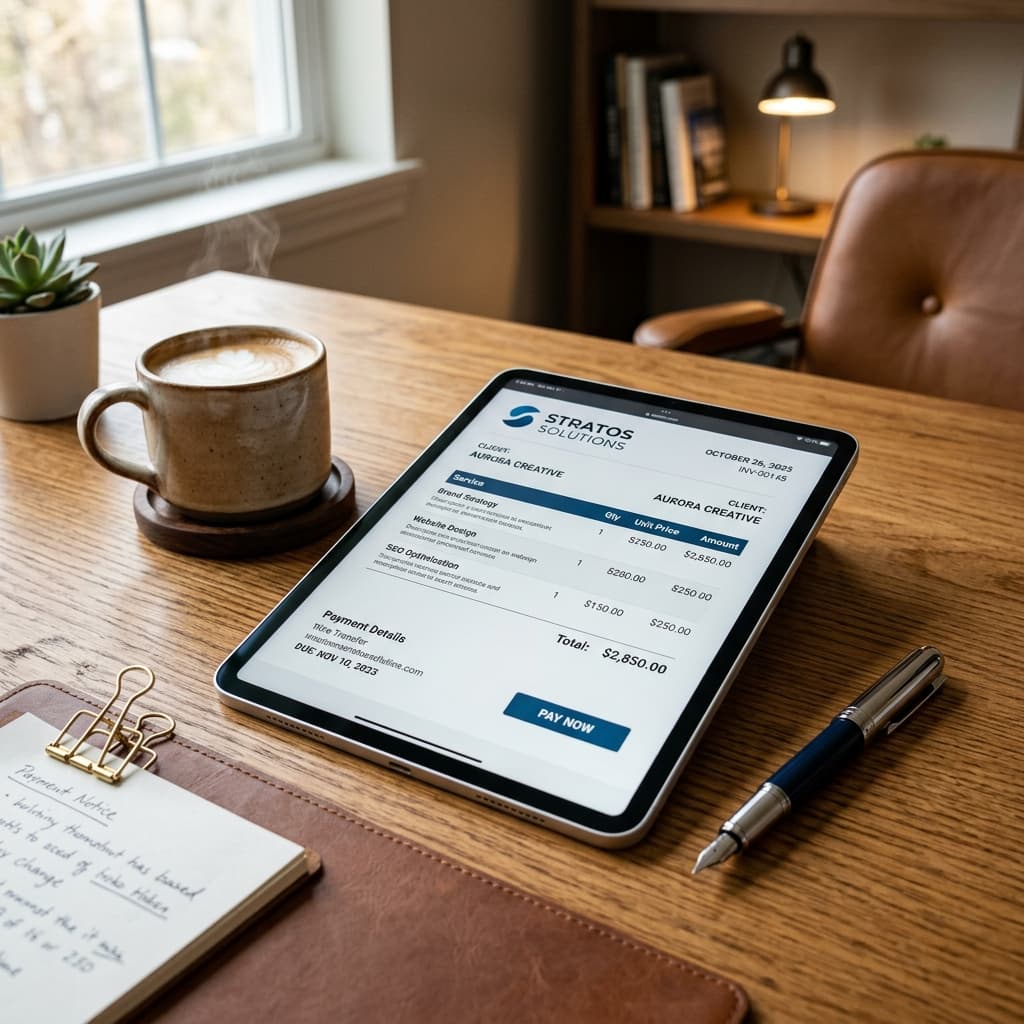
Discover everything you need to know about using an invoice maker, including key elements, templates, and best practices for getting paid faster.
In today's fast-paced business environment, getting paid on time is critical for survival. One of the most effective ways to ensure timely payments is by using a professional invoice maker. This comprehensive guide will explore everything you need to know about creating, sending, and managing invoices.
Whether you are a freelancer, a small business owner, or a consultant, an invoice maker is an indispensable tool. It streamlines your billing process and presents a polished image to your clients. We will dive deep into the mechanics of invoicing, the common pitfalls to avoid, and the best practices for maintaining healthy cash flow.
Many businesses struggle with delayed payments due to disorganized invoicing systems. By adopting a reliable invoice maker, you can drastically reduce the time spent chasing clients for money. According to industry studies, businesses that use automated invoicing systems get paid 30% faster than those using manual methods.
What Exactly is an Invoice Maker?
An invoice maker is a specialized software tool or web application designed to generate professional billing documents. It replaces the tedious process of creating invoices from scratch using word processors or spreadsheets. With an invoice maker, you simply input the necessary data, and the system formats it into a clean, easy-to-read document.
These tools often come with customizable templates that allow you to add your company logo and brand colors. This ensures consistency across all your client communications. Furthermore, a good invoice maker automatically calculates totals, taxes, and discounts, eliminating human error.
The primary goal of an invoice maker is to save you time and help you look professional. When a client receives a well-structured invoice, they are more likely to process the payment promptly. It also serves as a legally binding record of the transaction, which is essential for your accounting and tax purposes.
The Critical Elements of a Professional Invoice
To be effective and legally compliant, an invoice must contain several specific pieces of information. Leaving out critical details can delay your payment and cause confusion for your clients. Every time you use an invoice maker, ensure that these elements are clearly visible.
First, the document must be clearly labeled as an "Invoice" at the top. It should include your business name, address, phone number, and email. Equally important is the client's contact information, including their name, company name, and billing address.
Next, you need a unique invoice number and the date of issue. The invoice number is crucial for tracking and referencing the payment later. You also need to specify the payment due date, which sets clear expectations for when you expect to receive the funds.
The core of the invoice is the itemized list of goods or services provided. Each item should have a clear description, quantity, unit price, and total line price. Providing detailed descriptions prevents clients from questioning what they are paying for.
Finally, the invoice must show the subtotal, any applicable taxes or discounts, and the grand total amount due. It is also highly recommended to include your payment terms and accepted payment methods. Providing multiple payment options can significantly speed up the payment process.
Invoice vs. Receipt: Understanding the Difference
It is common for new business owners to confuse invoices with receipts. However, these two documents serve entirely different purposes in the accounting cycle. Understanding the distinction is vital for maintaining accurate financial records.
An invoice is a request for payment sent by a seller to a buyer after goods or services have been delivered but before payment has been made. It outlines what is owed and when it is due. In contrast, a receipt is a proof of payment provided by the seller to the buyer after the transaction is complete.
Think of an invoice as a bill you receive at a restaurant before you pay. The receipt is the piece of paper they hand you after they swipe your credit card. Using an invoice maker ensures you are sending the right document at the right time.
Sending a receipt when an invoice is required can confuse your clients and delay your payment. Conversely, sending an invoice after a client has already paid can cause frustration. Always use an invoice maker to generate the initial request for payment.
Generate an Invoice
Our Invoice generator produces a complete, printable document formatted perfectly for your business needs.
Create InvoiceWhy Every Freelancer and Small Business Needs an Invoice Maker
For freelancers and small business owners, time is arguably the most valuable resource. Spending hours each week formatting documents in Microsoft Word or Excel is an inefficient use of that time. An invoice maker automates this repetitive task, allowing you to focus on billable work.
Furthermore, professionalism is paramount when dealing with clients. A clean, well-designed invoice builds trust and reinforces your brand identity. It shows the client that you are a serious professional who values organization and clarity.
Using an invoice maker also helps you stay organized and maintain a clear paper trail. When tax season arrives, having neatly formatted invoices makes it much easier to report your income. Many invoice makers also offer tracking features, so you know exactly which invoices are paid and which are outstanding.
In many cases, an invoice maker can even improve your cash flow. Because they are so easy to create, you can send invoices immediately upon project completion. Studies show that invoices sent within 24 hours of project completion are paid 14 days faster on average.
Best Practices for Invoice Numbering and Tracking
Invoice numbering might seem like a minor detail, but it is essential for accounting and legal purposes. A logical and sequential numbering system prevents duplicate invoices and missing records. An invoice maker handles this automatically, but it is important to understand the underlying principles.
The most common method is sequential numbering, starting from a specific number like 1001. This simple approach guarantees that every invoice has a unique identifier. Alternatively, some businesses prefer to incorporate the date or a client code into the invoice number for easier referencing.
For example, an invoice created on January 15th for client ABC might be numbered ABC-20240115-01. Whatever system you choose, the key is consistency. Never repeat an invoice number, and never leave gaps in the sequence.
An invoice maker ensures that your numbering sequence remains intact even if you delete an old invoice. Tracking these numbers allows you to easily reconcile your bank statements with your invoicing records. This practice is crucial for maintaining financial accuracy and surviving potential audits.
Crafting Clear and Concise Item Descriptions
One of the most frequent causes of delayed payments is client confusion over the itemized charges. If a client doesn't understand what they are paying for, they will likely hold the payment until they get an explanation. Therefore, the descriptions on your invoice must be crystal clear.
Instead of writing vague terms like "Consulting Services," be specific about the work performed. A better description would be "Two hours of SEO consulting and website audit on January 10th." This level of detail eliminates ambiguity and reassures the client of the value provided.
If you are billing for physical goods, include the specific product name, model number, and any relevant details. When billing for hourly work, clearly state the date the work was performed, the hourly rate, and the total hours. Using an invoice maker makes it easy to format these details into neat columns.
Always review your item descriptions before sending the invoice. Put yourself in the client's shoes and ask if the charges make sense without any additional context. A well-detailed invoice is a sign of transparency and professionalism.
Setting Clear Payment Terms and Due Dates
Your payment terms dictate exactly when and how you expect to be paid. Leaving these terms ambiguous is a recipe for late payments and cash flow problems. An invoice maker allows you to prominently display these terms on every document you send.
The most common payment term is "Net 30," which means payment is due within 30 days of the invoice date. However, depending on your industry and client relationship, you might opt for "Due upon receipt," "Net 15," or even "Net 60." Choose a term that aligns with your business needs and industry standards.
In addition to the due date, clearly state your accepted payment methods. The easier you make it for a client to pay, the faster you will receive your money. Options like credit cards, bank transfers, and digital wallets like PayPal are highly recommended.
Some businesses also choose to implement late fee policies to discourage overdue payments. If you decide to charge late fees, this policy must be clearly stated on the invoice before the work begins. An invoice maker ensures this crucial information is never forgotten.
Navigating Tax Implications and Compliance
Depending on your location and the nature of your business, you may be required to collect sales tax or value-added tax (VAT). Compliance with these tax laws is mandatory, and failing to include the correct taxes on your invoices can lead to severe penalties. An invoice maker simplifies this complex process.
Before creating an invoice, you must determine if your goods or services are taxable in the client's jurisdiction. If they are, you need to calculate the correct tax rate and clearly display it as a separate line item. Never bundle taxes into the base price of your services unless legally required to do so.
In some regions, you may also need to include your tax identification number or VAT registration number on the invoice. This proves to your clients and the government that you are legally authorized to collect these taxes. Check with a local tax professional to ensure you are meeting all regulatory requirements.
Using an invoice maker that automatically calculates taxes based on pre-set rates is a massive time-saver. It reduces the risk of mathematical errors that could trigger an audit. Always keep copies of your generated invoices as they serve as your primary proof of income and tax collection.
Avoiding Common Invoicing Mistakes
Even experienced business owners can make mistakes when generating invoices. These errors can lead to payment delays, damaged client relationships, and accounting headaches. Fortunately, most of these mistakes are easily avoidable when using a dedicated invoice maker.
One of the most common errors is sending the invoice to the wrong person. In a large company, the person you worked with might not be the person who processes payments. Always ask your client for the correct billing contact and email address before sending the document.
Another frequent mistake is failing to specify the currency. If you work with international clients, an invoice for "1,000" could mean Dollars, Euros, or Yen. Always include the correct currency symbol or ISO code next to the total amount.
Finally, procrastination is a major invoicing sin. Waiting weeks or months to send an invoice sends a message that you don't value your own time or cash flow. Use an invoice maker to generate and send the bill as soon as the work is completed.
How to Handle Overdue Invoices and Late Payments
Despite your best efforts, you will eventually encounter a client who fails to pay on time. Handling overdue invoices requires a balance of persistence and professionalism. An invoice maker can help you track these late payments, but you must also have a follow-up strategy.
The first step is to send a polite reminder email a few days after the due date has passed. Often, the client simply forgot or the invoice was buried in their inbox. Attach the original invoice generated by your invoice maker to the email for easy reference.
If the first reminder goes unanswered, follow up with a more direct email or a phone call. Reiterate the payment terms and remind them of any late fee policies you have in place. Keep your communication professional, calm, and firmly focused on resolving the outstanding balance.
In extreme cases where a client refuses to pay, you may need to escalate the situation. This could involve hiring a collection agency or pursuing legal action in small claims court. Having a perfectly formatted document from an invoice maker will serve as essential evidence in these disputes.
Customizing Your Invoice for Brand Identity
Your invoice is not just a financial document; it is also a piece of marketing material. Every interaction a client has with your business shapes their perception of your brand. An invoice maker allows you to customize your billing documents to reflect your unique identity.
The easiest way to customize your invoice is by adding your company logo. A high-quality logo instantly makes the document look more professional and trustworthy. Ensure the logo is properly sized and not pixelated when printed or viewed on a screen.
You can also use an invoice maker to match the document's color scheme to your brand colors. This subtle touch creates a cohesive experience across your website, emails, and billing statements. However, avoid using overly bright or distracting colors that make the text hard to read.
Finally, consider adding a personalized thank-you note at the bottom of the invoice. A simple message like "Thank you for your business!" goes a long way in building client loyalty. This small gesture demonstrates that you value the relationship beyond just the financial transaction.
Managing Recurring Invoices for Retainer Clients
If you offer ongoing services to clients on a retainer basis, creating a new invoice from scratch every month is a waste of time. A powerful feature of an advanced invoice maker is the ability to set up recurring invoices. This automation ensures your regular clients are billed consistently without any manual intervention.
Recurring invoices are perfect for web hosting fees, monthly consulting retainers, or software subscriptions. You simply set the billing interval, such as weekly or monthly, and the system handles the rest. This guarantees you never forget to bill a client for ongoing work.
It is important to clearly state the service period on recurring invoices to avoid any confusion. For example, specify that the invoice covers "Services rendered for the month of October." Using an invoice maker for recurring billing improves predictability for both your cash flow and your client's budgeting.
The Role of Invoicing in Client Relationships
Many people view invoicing as a purely administrative task, but it actually plays a significant role in client relationships. A clear, accurate, and timely invoice reinforces your professionalism and reliability. It demonstrates that you take your business seriously and respect the terms agreed upon.
Conversely, invoices riddled with errors or sent sporadically can erode client trust. If a client constantly has to ask for corrections or clarification, they may begin to doubt the quality of your actual work. An invoice maker helps you avoid these scenarios by providing a structured and error-free format.
Furthermore, the tone of your invoicing communication matters. Always accompany your invoice with a polite email thanking the client for the opportunity to work with them. This positive interaction leaves a lasting impression and can encourage repeat business and referrals.
Evaluating Different Invoice Maker Features
With so many invoice maker options available on the market, choosing the right one can feel overwhelming. It is important to evaluate the features that matter most to your specific business model. A freelancer's needs will differ significantly from those of a retail store owner.
Basic invoice makers are excellent for quickly generating simple PDFs, but they may lack advanced tracking features. More robust systems offer client portals, automated payment reminders, and integration with accounting software like QuickBooks or Xero. Consider your current workflow and choose a tool that complements it rather than complicates it.
Another crucial feature to look for is mobile accessibility. The ability to create and send an invoice directly from your smartphone is incredibly valuable for professionals constantly on the go. Test out a few different platforms to see which interface feels the most intuitive and user-friendly for you.
Security and Privacy in Digital Invoicing
When you use a digital invoice maker, you are handling sensitive financial data for both your business and your clients. Therefore, security and privacy should be top priorities. Always ensure the platform you choose uses robust encryption to protect data during transmission and storage.
Look for an invoice maker that complies with industry standard data protection regulations. Your clients trust you with their contact details and potentially their payment information. A data breach could severely damage your reputation and lead to legal consequences.
Additionally, consider how the platform handles data backups. You need to know that your invoicing history is safe in the event of a server crash or technical glitch. A reliable invoice maker will automatically back up your data to secure cloud servers, ensuring you never lose a critical financial record.
Integrating Invoicing with Accounting Software
To truly optimize your financial workflow, your invoice maker should not exist in a vacuum. Integrating it with your primary accounting software is a game-changer for business efficiency. This eliminates the need for double data entry and significantly reduces the risk of manual errors.
When you generate an invoice in an integrated system, the revenue is automatically recorded in your general ledger. If a client pays online via a connected payment gateway, the invoice is automatically marked as paid, and the funds are reconciled. This seamless flow of information saves countless hours during month-end closing.
Before committing to an invoice maker, verify that it offers native integrations or API connectivity with your preferred accounting platform. This foresight will prevent major headaches down the road as your business scales and your financial reporting needs become more complex.
The Future of Invoicing and Automation
The world of business finance is rapidly evolving, and invoicing is no exception. We are moving away from manual data entry towards fully automated, integrated systems. Utilizing an invoice maker is the first step towards embracing this digital transformation.
In the future, we can expect invoice makers to integrate seamlessly with artificial intelligence. AI could automatically categorize expenses, predict cash flow shortages, and even draft personalized follow-up emails for late payments. This will further reduce the administrative burden on small business owners.
Furthermore, the adoption of blockchain technology and smart contracts could revolutionize how invoices are processed. Smart contracts could automatically trigger payments the moment a service is verified as complete. This would effectively eliminate the problem of late payments altogether.
Global Invoicing and Multi-Currency Support
As the business world becomes increasingly interconnected, many freelancers and companies find themselves working with international clients. This presents unique challenges for billing, particularly regarding currency conversions and international tax laws. A modern invoice maker must be equipped to handle these global complexities.
If you regularly bill clients in different countries, look for an invoice maker that supports multiple currencies. This feature allows you to generate invoices in the client's local currency, which provides a better user experience and avoids confusion over exchange rates. The system should automatically update conversion rates to ensure accuracy.
Additionally, be aware of the different invoicing requirements in various countries. Some jurisdictions require specific tax identification numbers or particular phrasing on the document. Using an adaptable invoice maker helps you stay compliant with international regulations and maintain smooth cross-border transactions.
Conclusion
Using a professional invoice maker is no longer a luxury; it is a necessity for modern businesses. It streamlines your billing process, ensures legal compliance, and helps you get paid faster. By avoiding common mistakes and following best practices, you can maintain a healthy cash flow.
Whether you are billing for freelance writing, graphic design, or consulting services, the principles remain the same. Clear descriptions, accurate numbering, and explicit payment terms are the cornerstones of effective invoicing. An invoice maker provides the framework to easily implement these principles.
Don't let disorganized billing hold your business back. Invest the time to set up a
This guide is part of our Business Forms service — invoices, quotes, estimates and receipts.
Explore Business FormsBusiness Forms Knowledge Hub
Explore our suite of professional templates in the Business category.

